


Expiring training certificates within Q-Matrix™
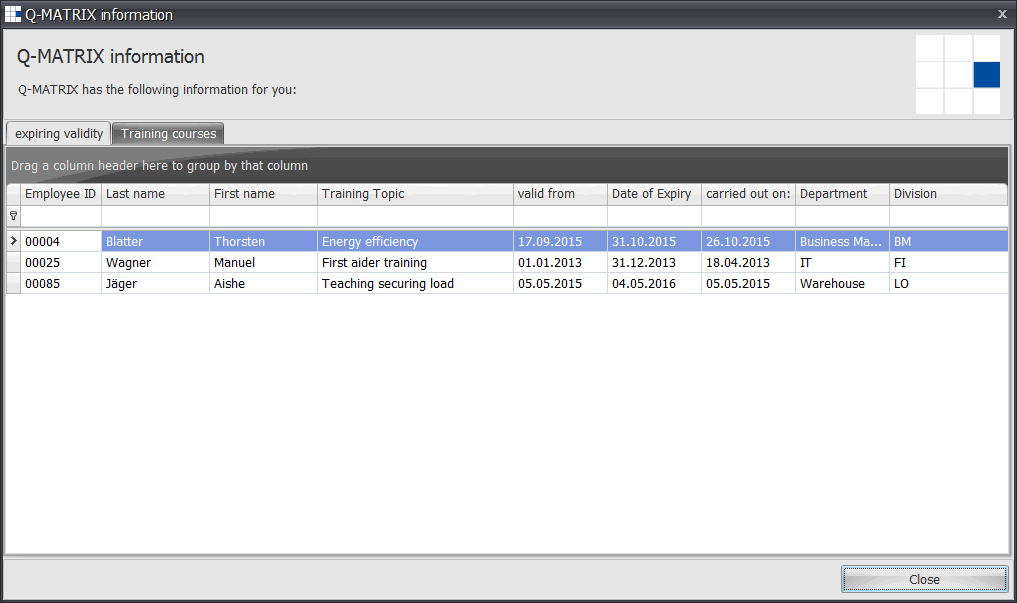
Shows training courses / certificates that are scheduled to expire within the next two months. This helps ensure that the organization takes advantage of the course / certificates before they expire.
All current training dates at a glance
After logging into Q-Matrix™, it will examine the dates of future training in the catalog, and all affected training scheduled to support the renewal of expiring certifications will be shown.
All courses that have an expiration date, which is less than the current date plus (+) 60 days, will be listed. The list will contain the training that is relevant to an individual’s role. For example, HR will see all information, whereas a department manager only gets to see the information for their department.
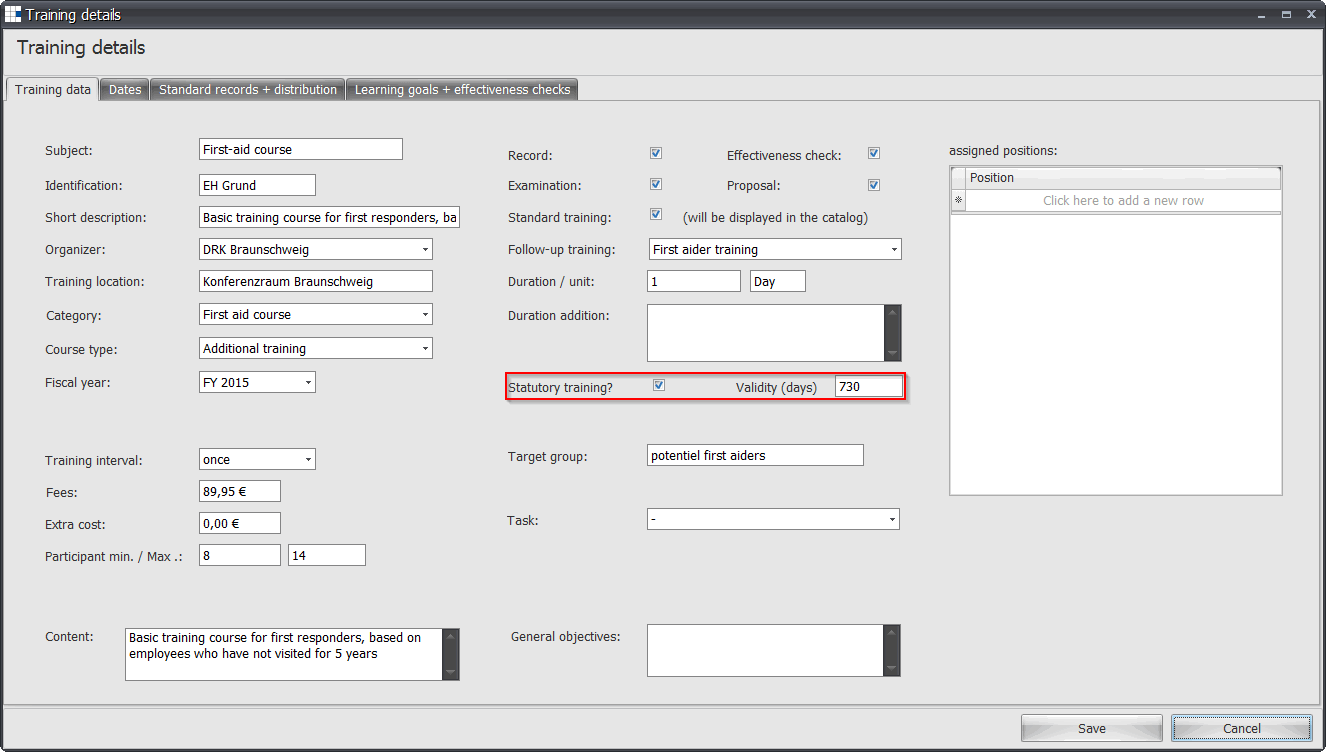
Simple preferences in the Training Catalog
The basic settings for all training are usually maintained by HR or system administrators. For an individual, the information should be pre-loaded and ready for them to make selections. Validating legal or statutory training can easily be accomplished.
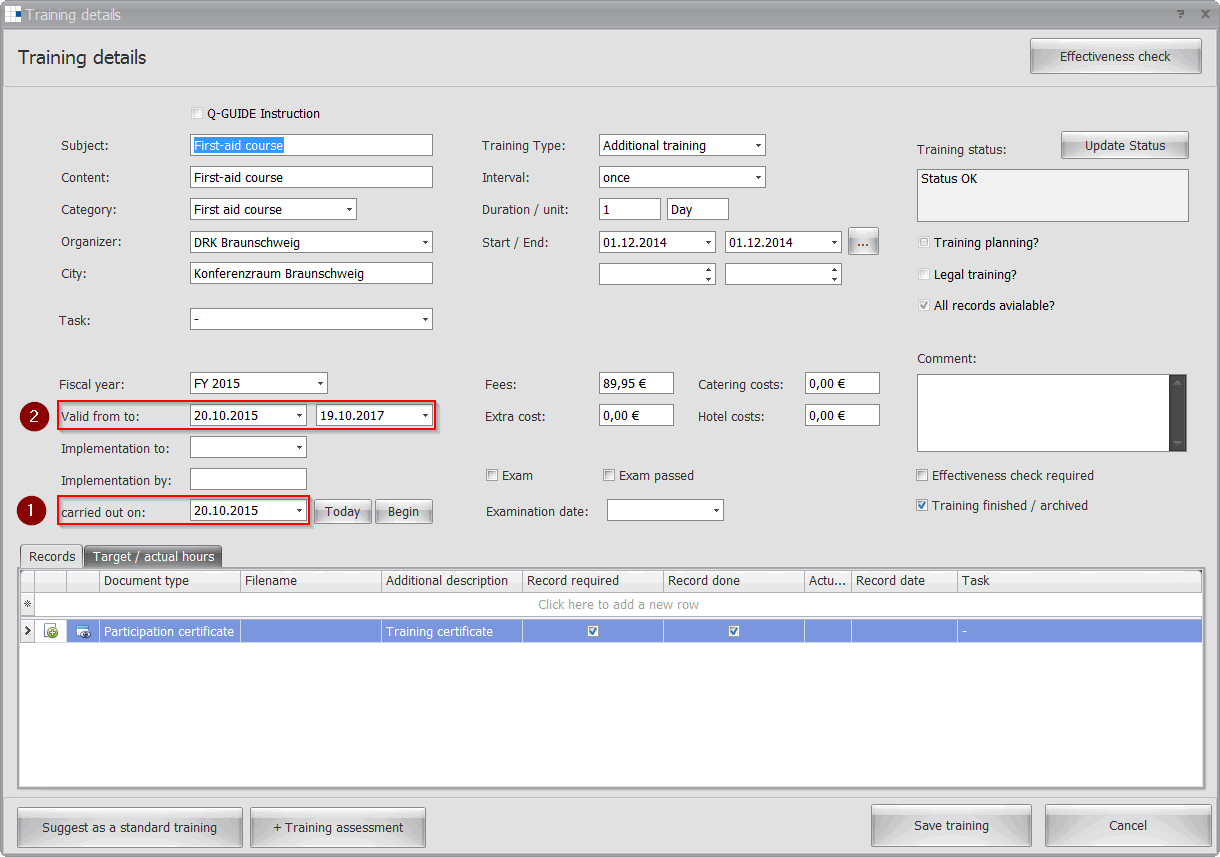
All comes together in HR
Legal training or courses prescribed by the organization’s quality management training department, as well as instructions for training planning, can be maintained only by the HR / personnel department.
Examples: Today = 22.02.2016 Today + 60 Days = 22.04.2016
|


